The independent revival of Microsoft Money
Remember Microsoft Money?
It's back — in your browser. The account register, the cash-flow forecast, the bills calendar: rebuilt the way you remember them, plus the one thing Money never had — banks that sync themselves.
Free for 7 days · No credit card · Cancel anytime
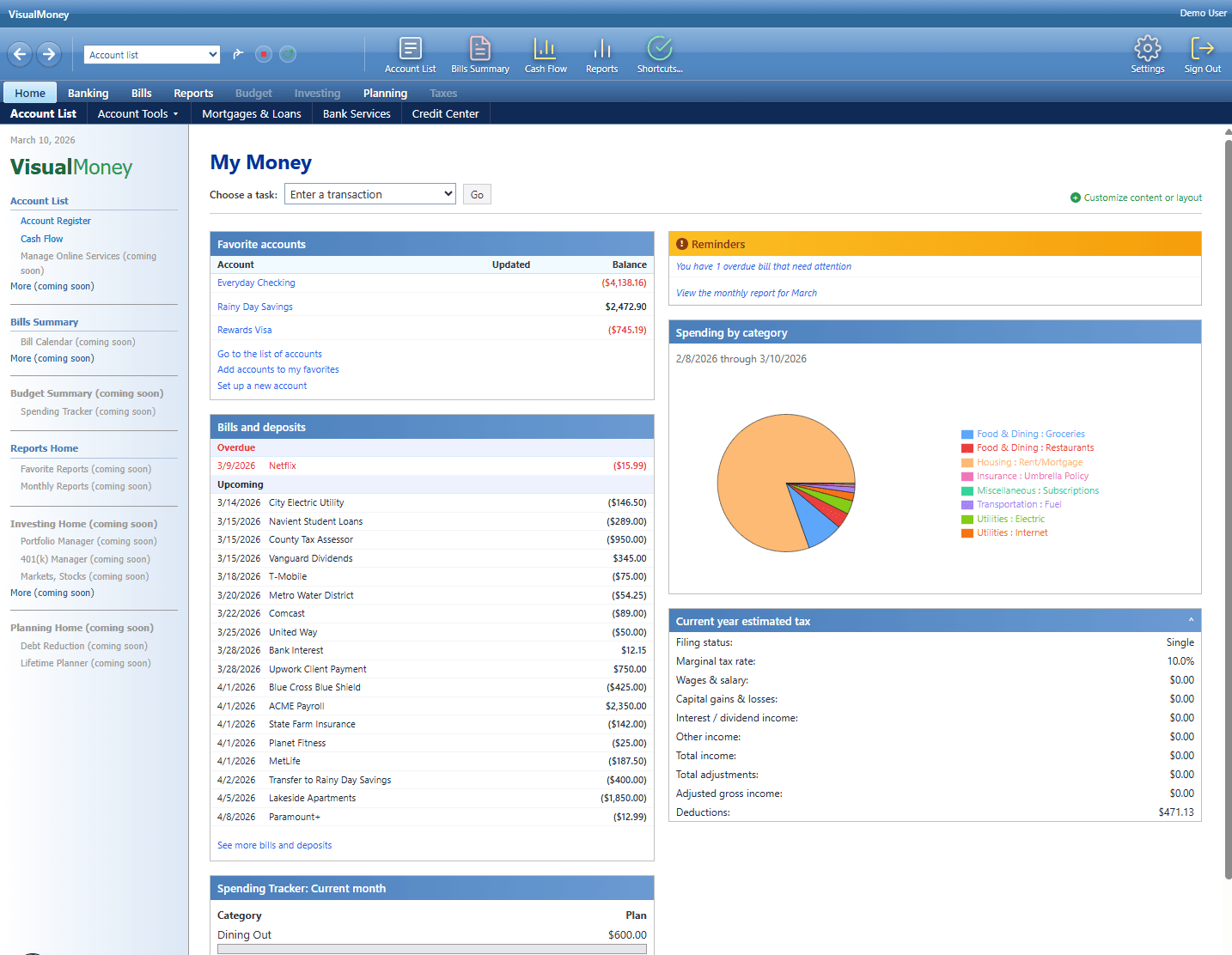
Real screens from the current build — not mockups.
The reason people switch
Your Microsoft Money file is not a dead end.
Most “Money replacements” make you re-enter years of history by hand — or abandon it. VisualMoney reads your real .mny file and brings the ledger with you, so you can keep working the way you already do.
Choose your .mny file
The file is opened and read only on your computer (including MSISAM decrypt in a local browser worker). The original .mny is never uploaded to VisualMoney.
Pick what to bring over
You choose accounts, date range, and bills. Only the selection you approve is sent for import — not the whole file, not accounts you leave unchecked.
Import and keep going
Registers show running balances. Bills land on the calendar. Cash-flow forecast uses the same scheduled series. Then work day-to-day like before.
What comes across from Money
- Accounts with opening balances and live running balances
- Full transaction history — payees, amounts, categories, memo
- Transfers linked between accounts when both sides import
- Bills & scheduled deposits with due dates and frequencies
- Cash-flow forecast driven by the same schedule you had in Money
Privacy first
Your .mny file never leaves your device. Decrypt and parse run in the browser. Only the accounts and activity you explicitly select are imported into your VisualMoney ledger.
No retyping, no blank-register restart — import what you want, verify balances, keep working, and add bank sync later if you choose.
Opening the box
Everything you remember. Plus a way in from Money.
We rebuilt the Money workflow feature by feature, then added what the last twenty years made possible — including a direct path from your old .mny file.
| Feature | Status | Notes |
|---|---|---|
| everything you remember | ||
| Account register | ✓ Back | Dense rows, running balance, reconciliation, keyboard-first entry. |
| Cash-flow forecast | ✓ Back | Projected balances 90 days out, from scheduled bills and deposits. |
| Bills & deposits | ✓ Back | The calendar view, due dates, overdue flags and all. |
| Reports | ✓ Back | Spending by category, account balances, monthly summaries. |
| what Money never had — and what you need now | ||
| Microsoft Money (.mny) import | ★ New | Accounts, history, transfers, and bills from your real Money file — no retyping. |
| Automatic bank sync | ★ New | 11,000+ institutions through Plaid, plus QuickBooks Online. No more manual OFX downloads. |
| Nothing to install | ★ New | Runs in any modern browser. Your ledger follows you to every computer you own. |
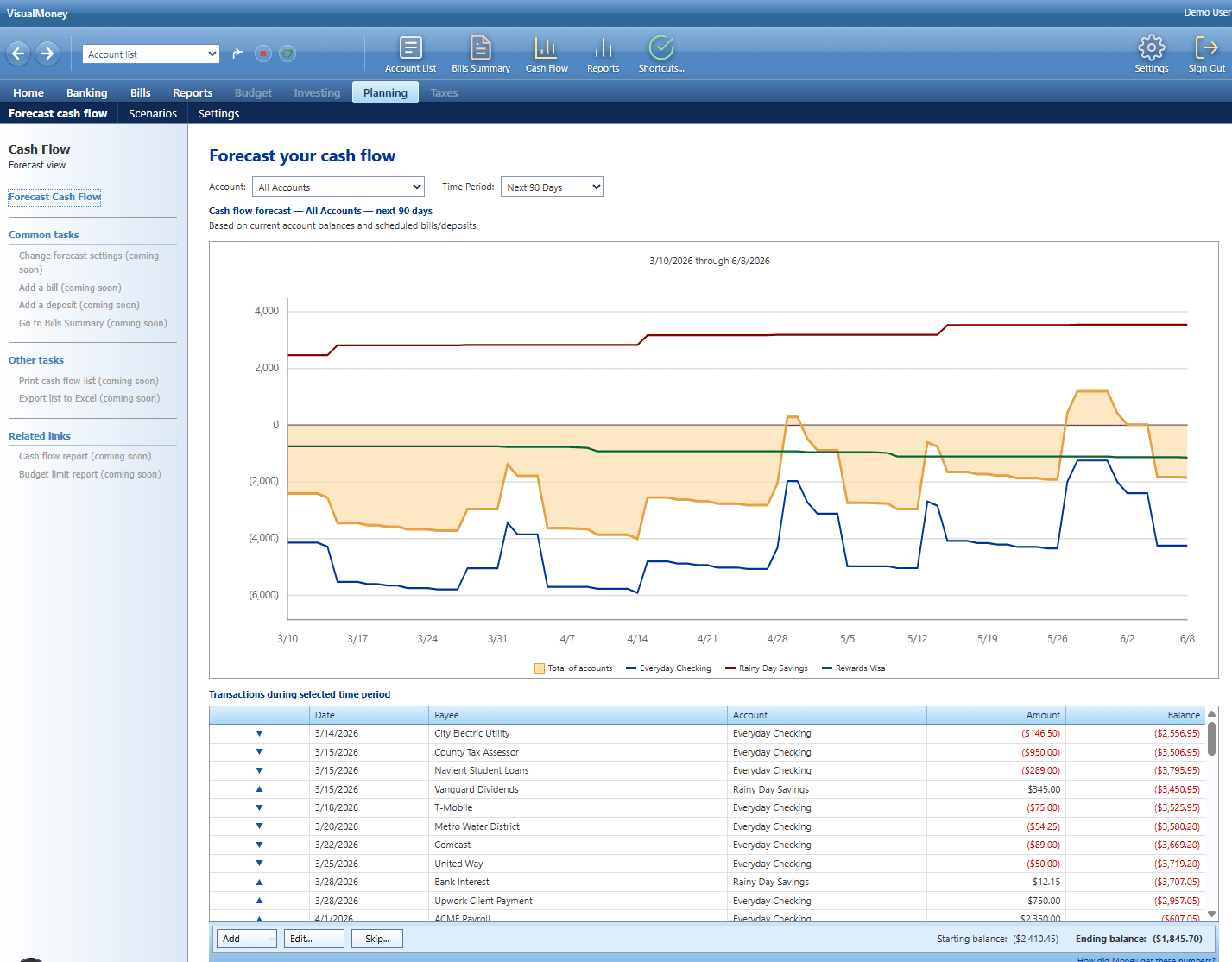
Planning → Forecast cash flow
See your balance 90 days from now.
Money's signature trick, faithfully rebuilt. Your scheduled bills and deposits project every account forward, so you know about the tight week in April before it arrives.
Modern budget apps report the past. This one plans the future.
Banking → Account list
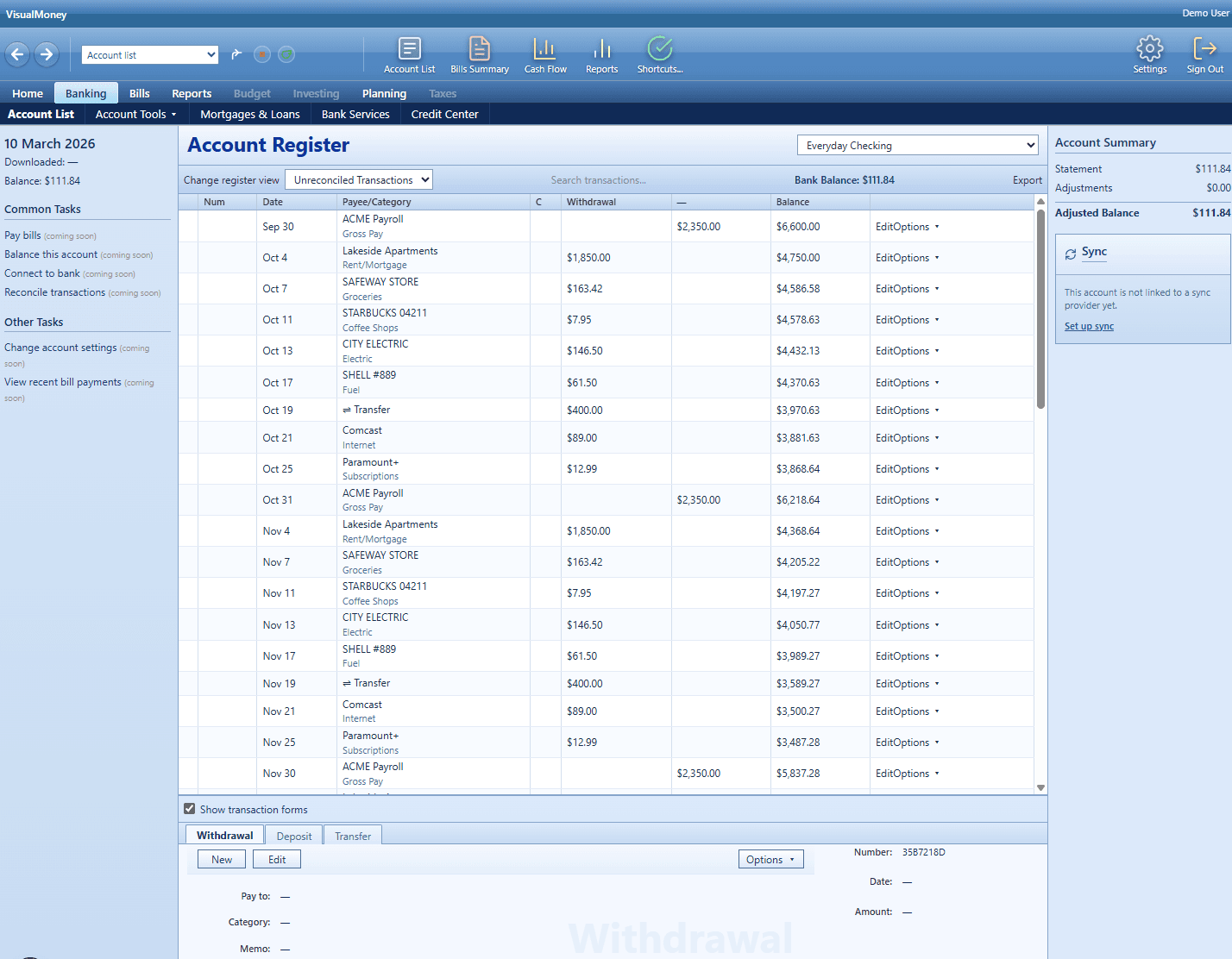
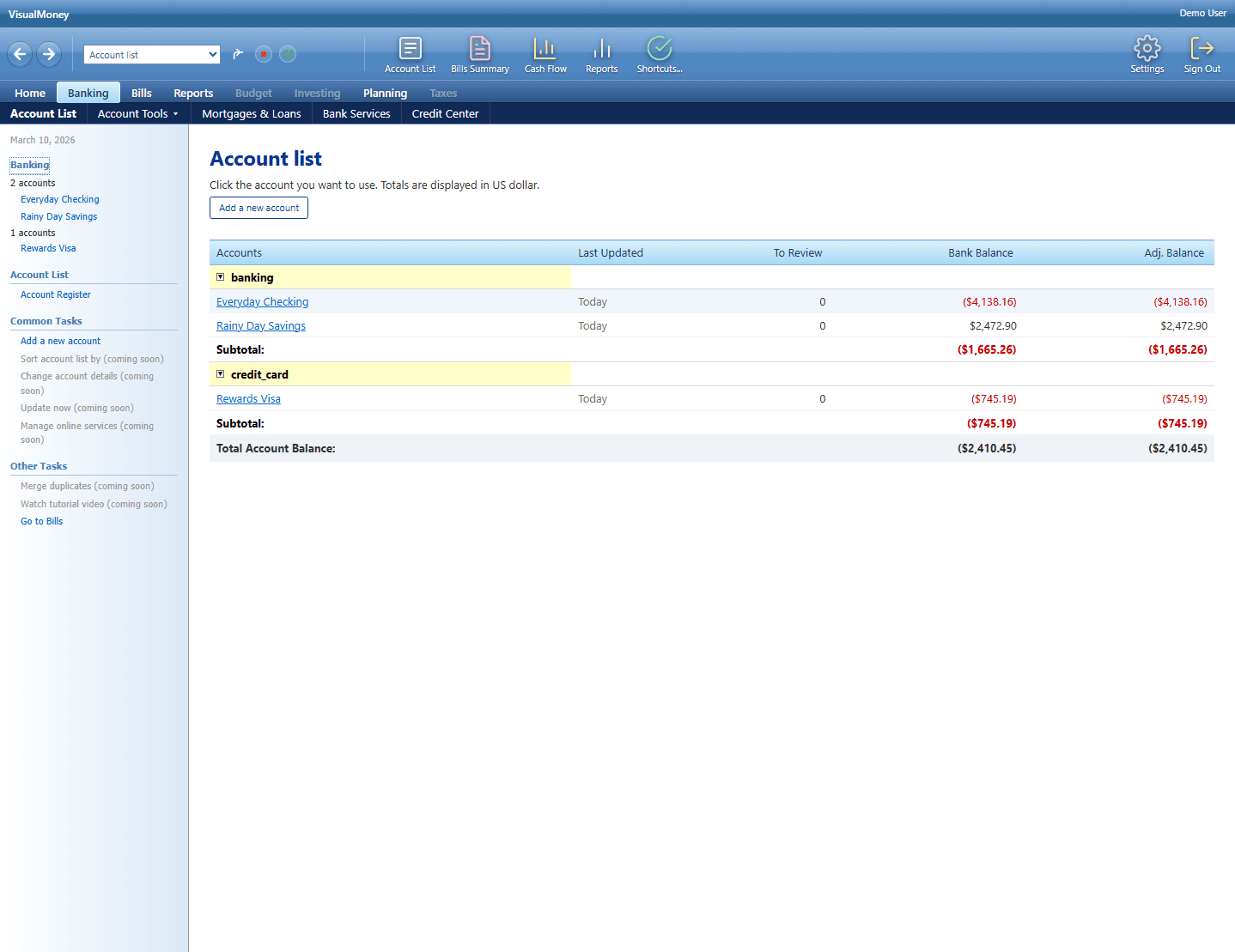
A real register, down to the red parentheses.
Every account on one screen: group subtotals, running balances, reconciliation status. Click through to a register built for people who actually read their numbers.
No cards, no carousels, no “insights”. A ledger.
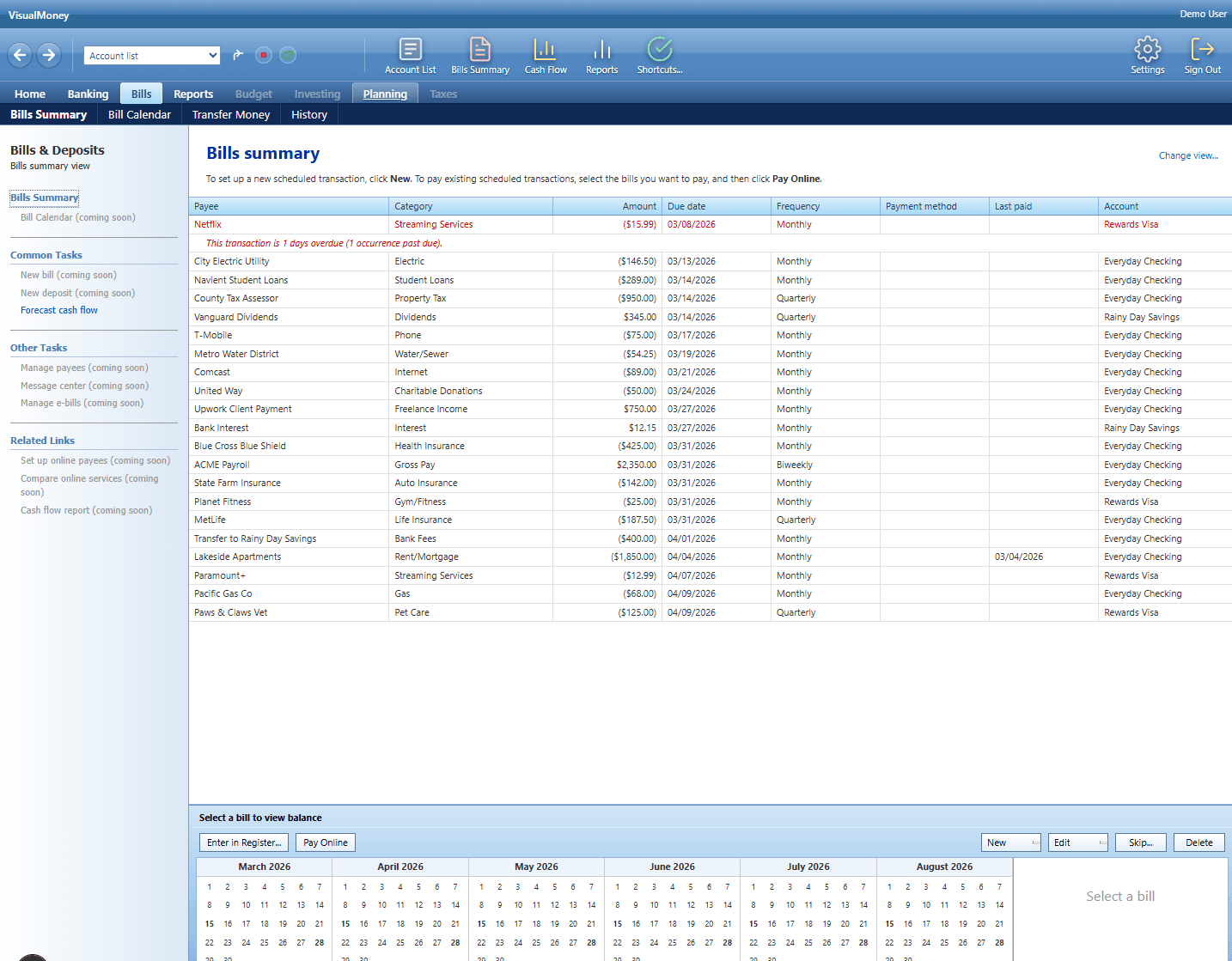
Bills → Bills summary
Bills on a calendar, overdue in red.
Six months of due dates at a glance. Overdue items float to the top and flow straight into your cash-flow forecast — exactly how the original did it.
Payees, categories, frequencies, and the account each bill draws from, all in one dense, sortable table.
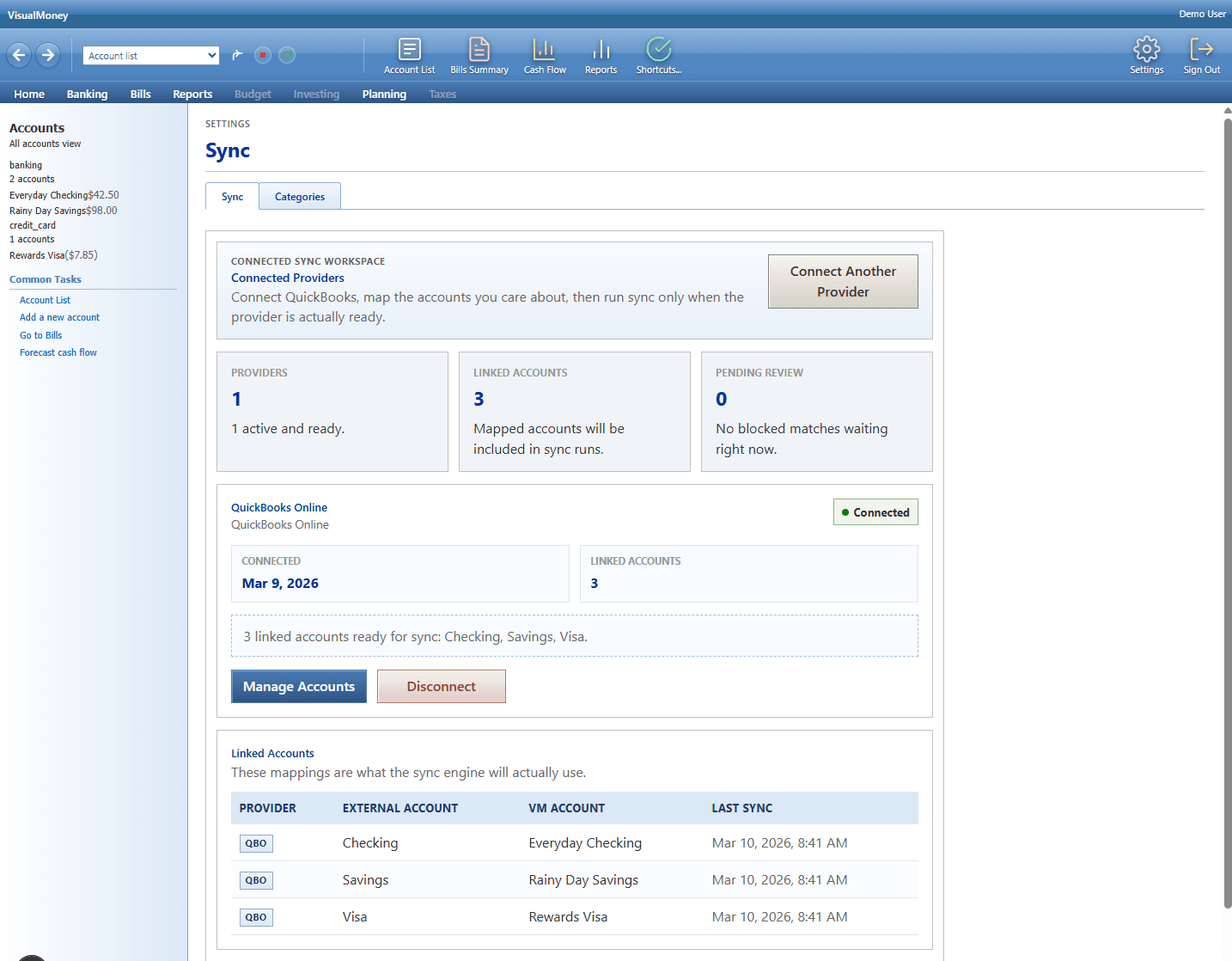
Settings → Sync
Banks sync themselves now.
In 2007 you downloaded OFX files by hand. Now your transactions arrive on their own — and the trust questions have real answers:
Your bank password never touches us
Connections run through Plaid. VisualMoney receives read-only transactions — never your credentials.
Your data leaves whenever you do
Export every register to CSV or OFX in one click. No lock-in, no hostage file formats.
No ads. No data mining.
You pay for the product; that's the whole business model. Nobody else is the customer.
Or skip sync entirely
Manual entry works exactly like 2004. Sync is a convenience, not a requirement. Prefer to start from Money? Import your .mny first, then turn on sync when you want it.
Pricing
One plan. Every feature.
No tiers, no locked features, no ads, no data mining. You're the customer, not the product.
or $99/year — save 36%
- ✓ Microsoft Money (.mny) import — full history
- ✓ Automatic bank sync — Plaid & QuickBooks Online
- ✓ Cash-flow forecasting, 90 days ahead
- ✓ Bills, budgets & reconciliation
- ✓ Unlimited accounts, reports & exports
7 days free before you pay anything. No credit card to start.
Fair questions